Character Design Ideas

I have been creating more Sculptures on Sculptris so that I can show more off in my portfolio presentation. I didn’t finish off all of the body on some of the characters because it starts to bug out when creating the legs. Therefore I just created the upper body of the object and focused on making them more detailed.

The painting in Sculptris seems to feel a little less detailed as you can are limited to where and what you can paint, I like how you can change the material of the sculpt to make it look more aesthetically pleasing to what u would rather see.

I think overall what I really like is the style what I go for and the creativity of my sculpts they are different and unique designs. Furthermore I feel as though I could of improved these by making the models fully done and painted to show the characters off more.

Analysis Of Game Design

Star Wars

Image result for star wars

Battlefront 1: PS2

Battlefront 2: PS2

Battlefront 1: PS4

Battlefront 2:PS4

By far Battlefront 2 was my favourite out of the series for PlayStation 2 I would get so locked into the game as it didn’t really have a story but the gameplay was amazing. There was different game modes you could play such as Conquest which was capturing the planets. It also had its own servers to play online games with other plays.

The star wars games would always vary from being a first person shooter to being in a vehicle in third person combat. Some characters would use third person as well and you could change this in the settings. The maps of the game were really big on the PlayStation and the graphics over time have changed massively it looks insane.

Star wars has a variety of an audience from young to old but the game was focused on mainly teenagers to older people. This is because of the games violence and it is also an online game which you would need to be careful and safe.  They also made some Lego star wars games for the younger audience.

Crash Bandicoot

Image result for Crash Bandicoot

Crash Bandicoot 1: PlayStation 1

Crash Of The Titans: Xbox 360, PS2

Crash Bandicoot Premastered: PS4

Crash Bandicoot has been a favourite for many people as its graphics were not to bad considering it was on PlayStation 1, the latest crash bandicoot has been re-mastered on the PlayStation 4 with better graphics, controls, and also gameplay. The target audience for crash bandicoot was a for a younger audience, this is because the game was, more wacky and stylised.

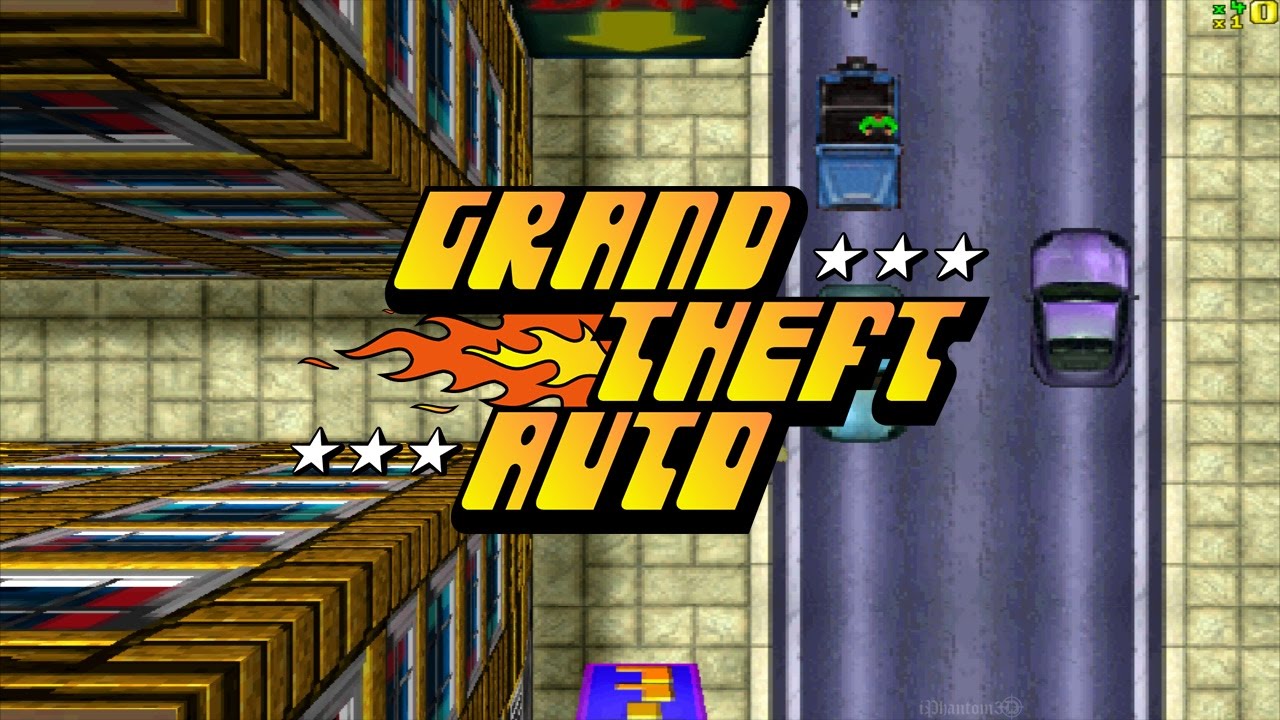
Grand Theft Auto

Image result for grand theft auto 1

Grand Theft Auto: MS-DOS, Windows-based PCs

Grand Theft Auto San Andreas : PlayStation 2

Grand Theft Auto IV : PS3, Xbox 360, PS4, Xbox One

Grand theft auto has been an incredible series what has made so much profit over these past years were there games would get better every year. It has turned from and up down shooter into a third person game which is amazing considering how far they have come. The target audience for grand theft auto was for older people as the game was full of violence and theft.


Industry/Job Roles

Concept Artist:

Concept Artist average salary is $67,240, median salary is $65,000 with a salary range from $35,000 to $130,000. Concept Artist salaries are collected from government agencies and companies. Each salary is associated with a real job position.

Concept art is a form of illustration used to convey an idea for use in films, video games, animation, comic books, or other media before it is put into the final product. Concept art usually refers to world-building artwork used to inspire the development of media products, and is not the same as visual development art or concept design, though all three are often confused.

There are no actual requirements for a concept artist they just need to be able to be good at drawing and have some skills such as teamwork. It is good to have a degree because you will have a higher chance of getting a job.

3D Artist:

Salary $63,970 (multimedia artists and animators).

See the source image

As a 3D artist, you’ll use sophisticated software to create graphics and animations for use in various media, such as television shows, motion pictures, video games and multimedia presentations. Find out about the pros and cons of becoming a 3D artist to help you make an informed career decision.

The requirements of becoming a 3D artist you will need some experience with games company’s and art as well as training in it as well.

Programmer Lead/Junior:

The average Programmer salary is £31,901. Filter by location to see Programmer salaries in your area. Salary estimates are based on 2,796 salaries submitted anonymously to Glass door by Programmer employees.

A programmer is someone who creates and solves scripts for games and more including solving problems and mathematic equations.

Animator:

An Animator, 3D earns an average salary of £29,056 per year.

An animator makes the models come to life and allow realist and over exaggerated movement of an object to make it more fun and interactive.

I am interested in Art, modelling, sculpting I feel like these areas are what I like, I have been looking at job roles such as a sculptor and concept artist. I think sculpting Is what I really enjoy and have a passion for as I have taken my time to research and design ideas of characters. I think I would like to design concept ideas and then sculpt them for next year in detail. I would like to get a better understanding of Sculptris and Zbrush next year to make my understanding of the software better.


Portfolio Work

John Winston

I am working on adding extras to the portfolio now such as creating ideas on Sculptris I am also finishing them off by painting them to get them as detailed and as finished as possible. This is because I want to show that I am dedicated to the course and I want to show off some other projects rather than the ones on the course as well. I think this would be a good idea as its showing that I am learning more skills and developing my knowledge.

I want to do this so I have more in my portfolio and also because if there is some projects in there which are unfinished I will at least have other projects to make up for it.


Overall I think that my designs are coming along great you can see I am improving because I am spending more time on less detailed pieces of the work. The painting on Sculptris seems to be very non precise as the brush will only colour in certain parts so the sculpt doesn’t look as good.

Imagine World – Photoshop

V1.PNG

I am starting to create a world based on a traditional Japanese culture and I have added a dragon to make the Photoshop scene look good and stand out. I have been adding a sunset and I added a ying and yang into to the sunset to make it look amazing. I have faded the ying and yang into the sun to make it have a cool effect when the viewer looks at it.

The dragon which I made stand out in the picture is actually one of the top layers of the image I just had to adjust it with the magic wand tool to make the dragon stand out and shape round the building like he is going in and out of it slithering through.

I also added a samurai at the front of the bridge I think he looks cool as this is what you would see around a traditional shrine. I also used tool to blend the cliff onto the left into the environment to make it look more realistic.

Overall I think I have done very good the imagine world I managed to keep it traditional and kept the style the same, I could make this better by adding some footage to the image as well to make it more exciting. To do this I will get a green screen video from YouTube and use it to make the footage. I would like to blend all the colours in as well to make the scene more blended together for a real feel.


Walk Cycle – Peer Assessment

Assessor Name: Lewis Smillie

The walk looks natural and looks smooth and clean. It could be improved by moving the arms and hips to make it look more natural. You have a range of principles such as squash and stretch and you have exaggeration by the way he is walking he looks upbeat. You could add arcs on the arms to match the upbeat setting. to improve your animation you could add movement to the hips and arms. Also you could a bit of head movement to make it look better. Also you could make it slower to look better. Also you could add the shoulder movement to make it look smoother.

This is the improvements I have made to the animation, the arms and hips now sway and the walk looks a lot more alive now that he is moving all in one sequence. His neck and head now bobs and he now looks more jolly and I am trying to make him look happy while he walks the key frames are still a bit messy but I should be able to clean this up for next week. I have been trying to get his hands to move more and his arms to move in more of a flow than being slow.

I think my animation will be ready to render for next week as long as I make some more tweaks and finishes to the animation.

Update:

I have been working on the animation but there was a slight problem with the character after I made his hands grasp I set a key frame to make sure the hands would stay the same. I checked the character set but that wasn’t the problem so I didn’t understand why it wouldn’t work.

Modelling Final Render – Sickle

Final Renders of my Japanese styled sickle: 

Side View

Top Angle Blade View Sickle

Side View Sickle

Top ViewTop View Sickle

Blade View

Blade Close Up View Sickle

This is my final weapon for the project and I am very proud of my first attempt of making the weapon. I found that modelling the weapon itself was more straight forward than the UV unwrapping but I also managed to unwrap this very well there was a few slight problems but I managed to fix them.

I also made a model for another weapon I have modelled it but I didn’t not spend enough time to get it complete yet I focused on making the one weapon so it would look more amazing as I put more time on it.

JM Sickle Substance painter

To make the skin for my weapon I used materials to make the handle and the blades out of metallic material, this made it look more revealing and realistic. To make the handle I used my own custom made brush using Photoshop as well.


Animation Creating My Walk

Animation so far:

So far I have spent my time making the legs and feet of the animation look very lively when he is walking. As you can see he moves like a robot but that is only because I have focused on the lower body. Next time I animate the walk I am going to need to focus on the upper body and hips to create more movement and to make it look more alive.

As you can see just in the animation I have added squash and stretch, timing, pose to pose, and a little bit of exaggeration when they start bobbing up and down. I think I am definitely starting to understand more about animation and the walking cycle as before I was struggling to get the poses correct.

I am also thing about adding some head movement such as when you are looking at the side view he turns to the camera and waves just to show some emotion and to make the animation involve the audience.


Volume – Adventure Time

My drawing of Finn:

Finn Adventure Time drawing

Adventure time drawing:

See the source image

As you can see I have kept the style the same using shapes to make the character, I have made the character wavy and all over. I have added some crazy exaggeration with his facial expressions and the way he is in the image. I have added some quick shading on his backpack and lines to show anger in his face.

I had to research my character all of them have a bold outline on the character and this makes them stand out. Every character has something unique and different about them but yet they all keep the same style.

Animation – Walk Cycles


These videos will make me help my animation of walking with a rig because I can really study what I need to do with the different parts of the body as I can see on the more realistic video his arms are moving his hips it’s not just his legs. So if I combine an animation with this and make it a bit more to life the character will be able to have a bit more bounce and flavour to the walking animation as well as keeping the walk similar to the first video. This will allow me to get the base of the animation then exaggerate of the base of the rig.

I have started to play around with the different types of rigs for the character I am finding it quite hard to use the rigs with arms and legs as well. I am going to have to practice a little more with this as I will have to get used to this to animate one of the rigs. I have started to create a few poses with the character but he isn’t moving very well.